User Profile Page
This feature is supported starting from version 5.12.0.
The user profile page displays basic user information. When accessing this page, the SDK retrieves user data from the database for display. IMKit provides RCProfileViewController, a profile page class based on UIKit's UITableView. The profile page distinguishes between the current user's profile and other users' profiles by initializing with different viewModels.
The IMKit conversation page does not automatically redirect to user profiles. If you wish to use this feature, you need to manually listen for events (e.g., avatar clicks via the didTapCellPortrait: method) in RCConversationViewController and handle the redirection.
Current User Profile Page
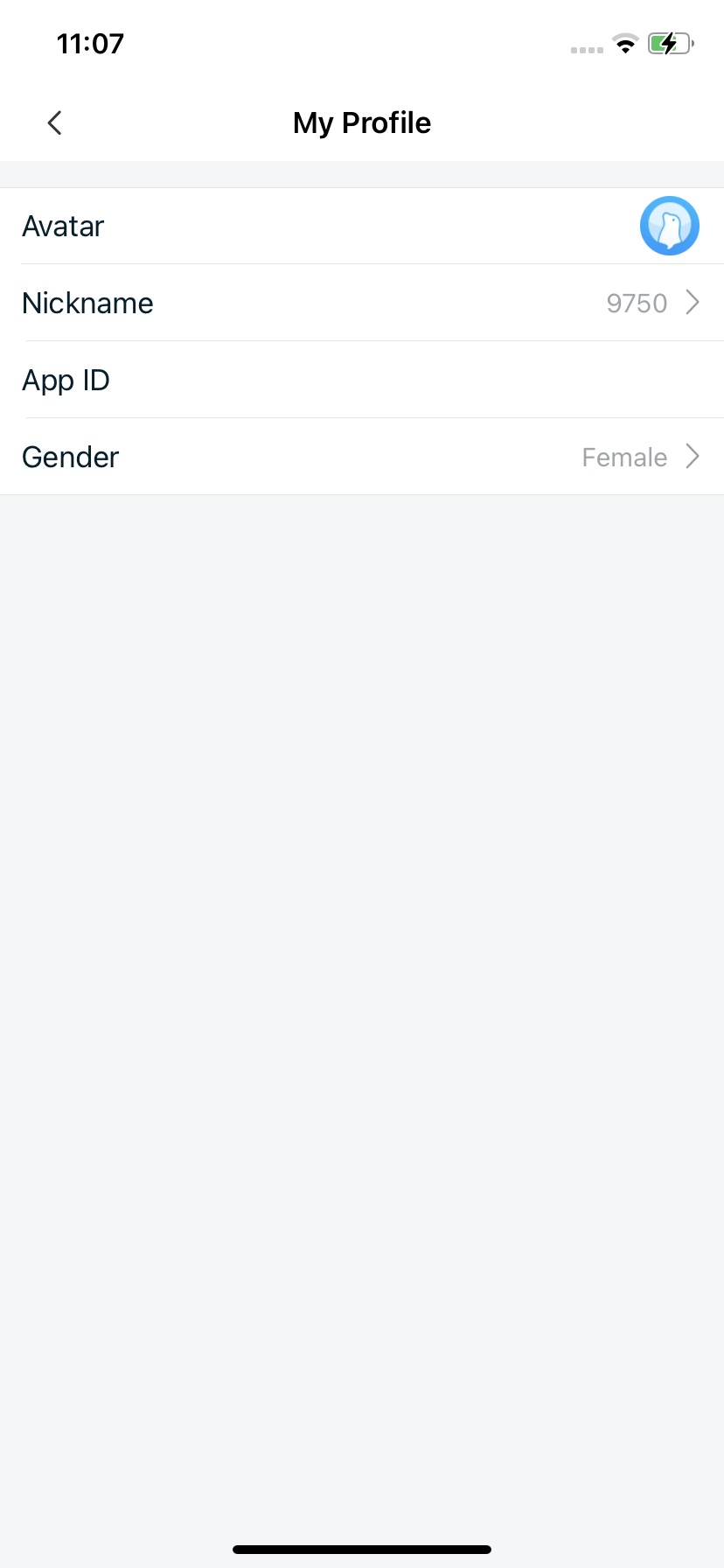
The current user profile page includes a title and user details (avatar, nickname, application ID, and gender).
Initialization
Parameters
| Parameter | Type | Description |
|---|---|---|
| viewModel | RCProfileViewModel | The business logic module for RCProfileViewController. For displaying the current user's information, initialize with RCMyProfileViewModel, a subclass of RCProfileViewModel. |
Sample Code
RCMyProfileViewModel *viewModel = [RCMyProfileViewModel new];
RCProfileViewController *vc = [[RCProfileViewController alloc] initWithViewModel:viewModel];
[self.navigationController pushViewController:vc animated:YES];
Modify the Title
RCProfileViewController uses the system navigation bar with a default title, which can be modified after initialization:
Sample Code
RCProfileViewController *vc = [[RCProfileViewController alloc] initWithViewModel:viewModel];
vc.title = @"custom title";
Customize Current User Profile Page Cells
1. Create a Custom RCCustomCell
@interface RCCustomCell : UITableViewCell
@property (nonatomic, strong) UILabel *titleLabel;
@property (nonatomic, strong) UILabel *contentLabel;
@end

@implementation
// Cell rendering logic
@end
2. Create a Custom RCProfileCustomCellViewModel (subclass of RCProfileCellViewModel)
@interface RCProfileCustomCellViewModel : RCProfileCellViewModel
@property (nonatomic, strong) NSString *title;
@property (nonatomic, strong) NSString *detail;
@end

@implementation RCProfileCustomCellViewModel
// Register and customize the cell
- (UITableViewCell *)tableView:(UITableView *)tableView
         cellForRowAtIndexPath:(NSIndexPath *)indexPath {
    NSString *cellIdentifier = @"RCCustomCellIdentifier";
    // Register the cell
    [tableView registerClass:RCCustomCell.class forCellReuseIdentifier:cellIdentifier];
    // Return the cell
    RCCustomCell *cell = [tableView dequeueReusableCellWithIdentifier:cellIdentifier];
    if (!cell) {
       cell = [tableView dequeueReusableCellWithIdentifier:cellIdentifier];
    }
    // Update UI
    cell.titleLabel.text = self.title;
    cell.contentLabel.text = self.detail;
    return cell;
}

// Return cell height
- (CGFloat)tableView:(UITableView *)tableView heightForRowAtIndexPath:(NSIndexPath *)indexPath{
    return 40;
}
@end
3. Set the RCProfileViewModel Delegate
Set the RCProfileViewModelDelegate when initializing the profile page:
RCMyProfileViewModel *viewModel = [RCMyProfileViewModel new];
// Add delegate
viewModel.delegate = self;
RCProfileViewController *vc = [[RCProfileViewController alloc] initWithViewModel:viewModel];
4. Modify the Data Source
Implement the RCProfileViewModelDelegate method to modify the data source:
- (NSArray<NSArray<RCProfileCellViewModel *> *> *)profileViewModel:(RCProfileViewModel *)viewModel willLoadProfileCellViewModel:(NSArray<NSArray<RCProfileCellViewModel *> *> *)profileList{
    if ([viewModel isKindOfClass:RCMyProfileViewModel.class]) {
        NSMutableArray *list = profileList.mutableCopy;
        RCProfileCustomCellViewModel *customCellVM = [RCProfileCustomCellViewModel new];
        customCellVM.title = @"Email";
        customCellVM.detail = @"1234567@zz.com";
        [list addObject:@[customCellVM]];
        return list;
    }
    return profileList;
}
5. Handle Cell Tap Events
Implement the RCProfileViewModelDelegate method to handle cell taps. Return YES to intercept SDK default handling and use custom logic; return NO to let the SDK handle it:
- (BOOL)profileViewModel:(RCProfileViewModel *)viewModel viewController:(UIViewController *)viewController tableView:(UITableView *)tableView didSelectRow:(NSIndexPath *)indexPath cellViewModel:(RCProfileCellViewModel *)cellViewModel {
    if ([viewModel isKindOfClass:RCMyProfileViewModel.class] &&
        [cellViewModel isKindOfClass:RCProfileCustomCellViewModel.class]) {
        RCProfileCustomCellViewModel *tempVM = (RCProfileCustomCellViewModel *)cellViewModel;
        if ([tempVM.title isEqualToString:@"Email"]) {
            // Handle email tap event

            return YES;
        }
    }
    return NO;
}
Other User Profile Page
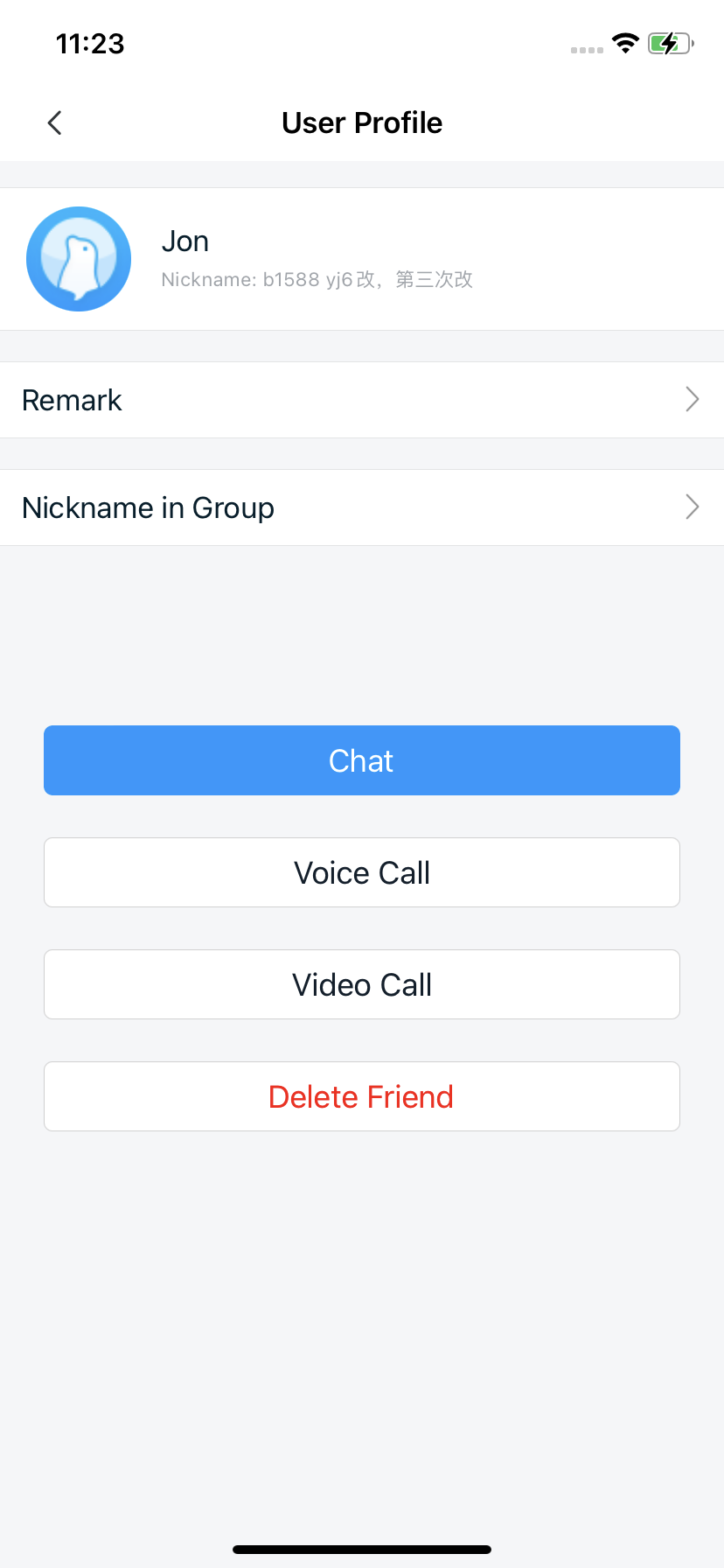
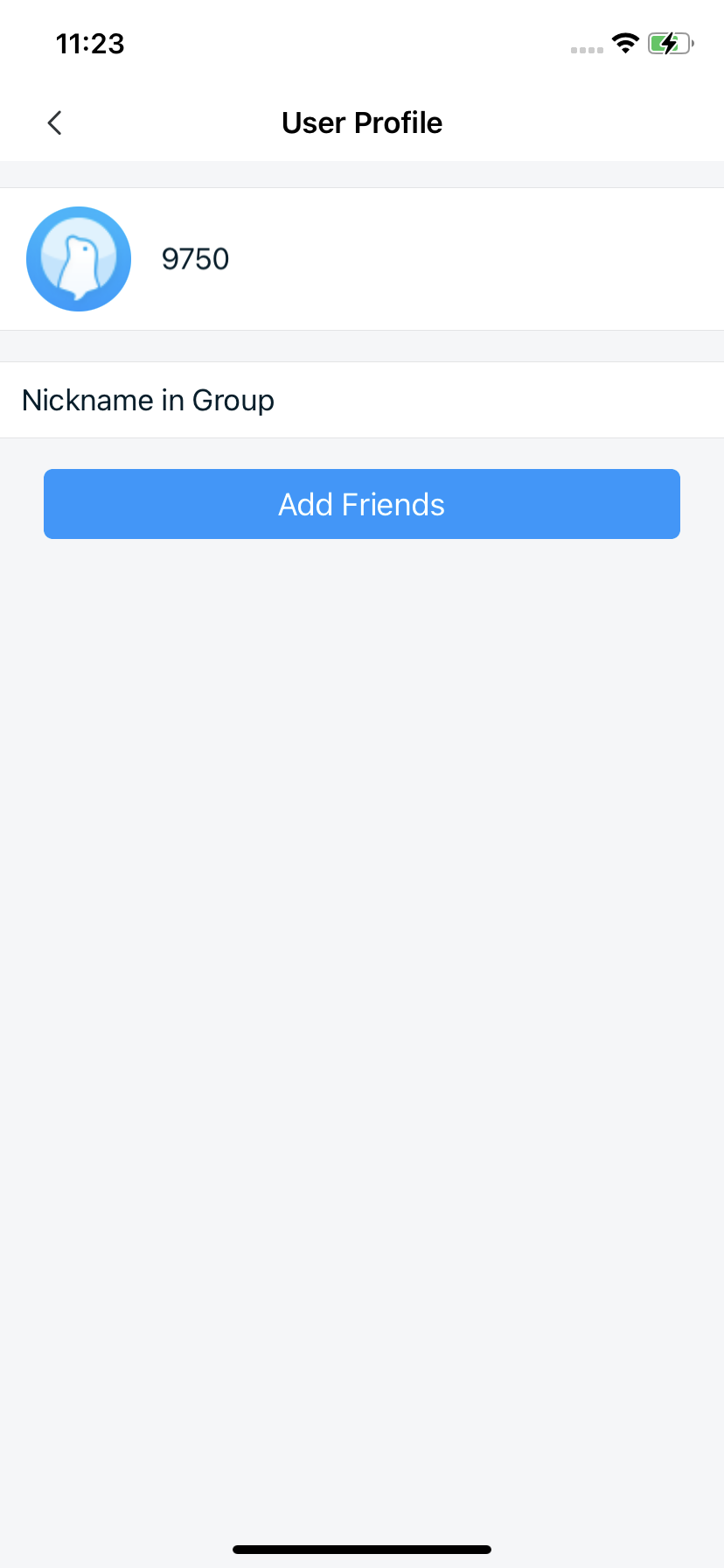
The other user profile page includes a title and user details (avatar, nickname, and remarks). The display varies slightly between friends and non-friends.
Initialization
Parameters
RCProfileViewController parameters:
| Parameter | Type | Description |
|---|---|---|
| viewModel | RCProfileViewModel | The business logic module for RCProfileViewController. For displaying other users' information, initialize with RCUserProfileViewModel, a subclass of RCProfileViewModel. |
RCUserProfileViewModel parameters:
| Parameter | Type | Description |
|---|---|---|
| userId | NSString | The target user ID. If the ID belongs to the current user, RCMyProfileViewModel is initialized; otherwise, RCUserProfileViewModel is used. |
Sample Code
NSString *userId = @"User ID";
RCProfileViewModel *viewModel = [RCUserProfileViewModel viewModelWithUserId:userId];
RCProfileViewController *vc = [[RCProfileViewController alloc] initWithViewModel:viewModel];
[self.navigationController pushViewController:vc animated:YES];
Modify the Title
RCProfileViewController uses the system navigation bar with a default title, which can be modified after initialization:
RCProfileViewController *vc = [[RCProfileViewController alloc] initWithViewModel:viewModel];
vc.title = @"custom title";
Configure Friend Verification
By default, friend verification is enabled. If users are not friends, the "Add Friend" button is displayed instead of the chat option.
Configure friend verification during initialization:
NSString *userId = @"User ID";
RCProfileViewModel *viewModel = [RCUserProfileViewModel viewModelWithUserId:userId];
// Enable friend verification (default: YES). If disabled, the chat button is always shown.
((RCUserProfileViewModel *)viewModel).verifyFriend = YES;
Customize Other User Profile Page Cells
RCUserProfileViewModel and RCMyProfileViewModel share the same parent class, RCProfileViewModel. You can follow the custom cell logic for the current user profile page, replacing RCMyProfileViewModel with RCUserProfileViewModel where applicable.
Customize Footer View
The other user profile page supports adding, removing, or modifying footer buttons via the RCProfileFooterViewModelDelegate.
1. Add the ViewModel Delegate
Set the RCProfileViewModelDelegate when initializing the profile page (skip if already done):
RCMyProfileViewModel *viewModel = [RCMyProfileViewModel new];
// Add delegate
viewModel.delegate = self;
RCProfileViewController *vc = [[RCProfileViewController alloc] initWithViewModel:viewModel];
2. Implement the Footer View Loading Method and Set Its Delegate
- (RCProfileFooterViewModel *)profileViewModel:(RCProfileViewModel *)viewModel willLoadProfileFooterViewModel:(RCProfileFooterViewModel *)footerViewModel {
    footerViewModel.delegate = self;
    return footerViewModel;
}
3. Implement Delegate Methods:
#pragma mark -- RCProfileFooterViewModelDelegate
- (NSArray<RCButtonItem *> *)profileFooterViewModel:(RCProfileFooterViewModel *)viewModel willLoadButtonItemsViewModels:(NSArray<RCButtonItem *> *)models {
     /// Use viewModel.type to distinguish page types
     if (viewModel.type == RCProfileFooterViewTypeChat) {
        NSMutableArray *list = models.mutableCopy;
        RCButtonItem *voiceItem = [RCButtonItem itemWithTitle:@"voice_call" titleColor:[UIColor whiteColor] backgroundColor:[UIColor blueColor]];
         [voiceItem setClickBlock:^{
            // Handle button tap event
         }];
         [list addObject:voiceItem];
        return list;
    }
    return models;
}