Quick Replies
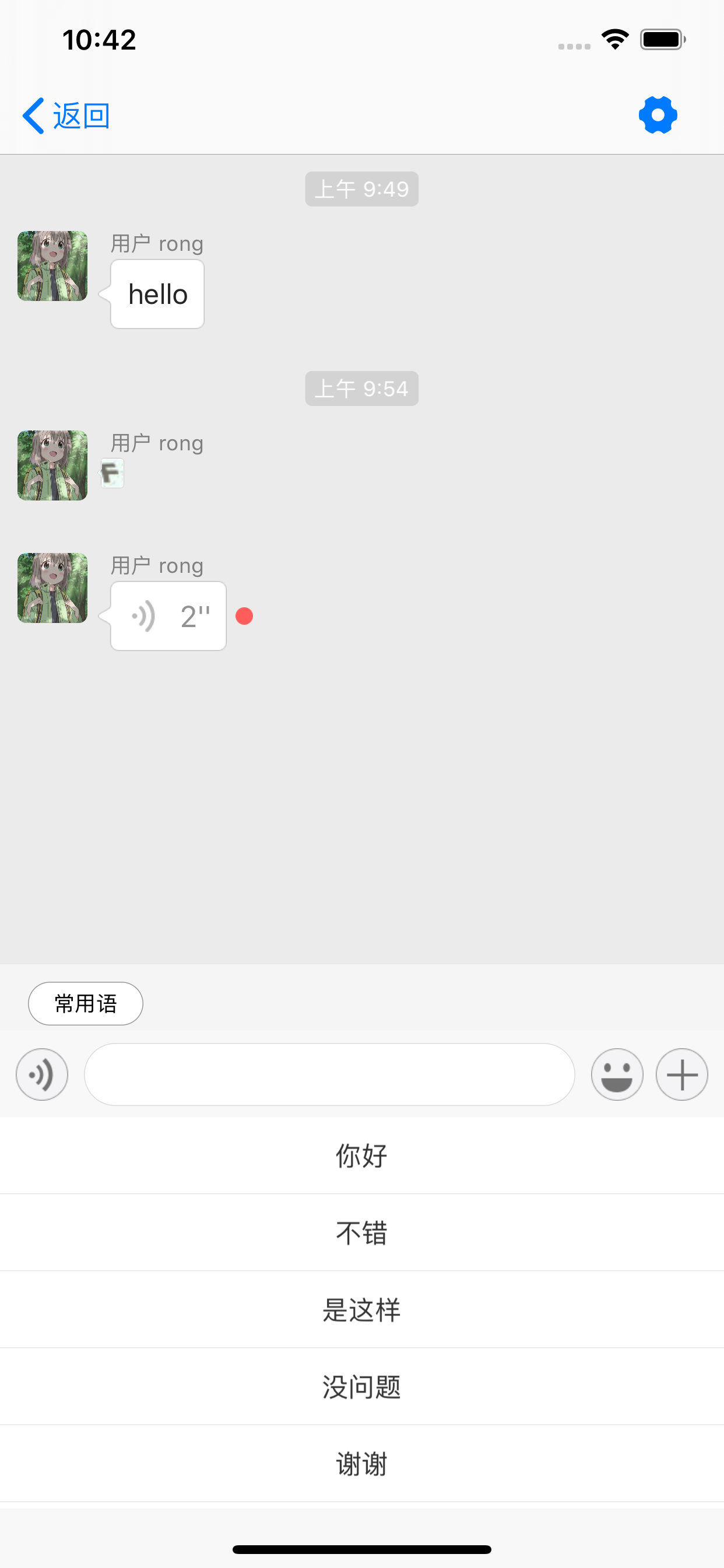
IMKit supports setting up quick reply phrases for one-to-one chat and group chat UIs.
This feature is disabled by default in IMKit.
Limitations
- Quick replies exceeding 30 characters may display incompletely.
Usage
Set quick replies before the chat UI appears, such as in the system method viewWillAppear::
[self.chatSessionInputBarControl setCommonPhrasesList:@[@"Hello", @"Good", @"Agreed", @"No problem", @"Thanks"]];
To update quick replies, the new list will override existing ones. For IMKit ≥ 5.6.1, the UI refreshes immediately after setting.
For IMKit < 5.6.1, manually call this method of the chat session's chatSessionInputBarControl to refresh the quick replies UI, otherwise updates won't display:
- (void)updateStatus:(KBottomBarStatus)status animated:(BOOL)animated
Quick Reply Button Tap Event
Requires IMKit version ≥ 5.6.3.
When users tap the Quick Reply button, the quick reply panel appears. Override RCConversationViewController's didTapCommonPhrasesButton method: return YES to intercept (implement custom logic) or NO to use SDK default behavior.
- (BOOL)didTapCommonPhrasesButton;