Conversation List Multi-Select Mode
Global IM UIKit's chat UI supports selecting multiple conversations for batch operations. In multi-select mode, it defaults to supporting batch marking as read and batch deletion. You can also add custom action buttons.
Usage
Global IM UIKit provides an edit button by default in the RCChatListHeaderView of the chat UI. When the edit button in the top-right corner of the conversation list page is clicked, the conversation list enters multi-select edit mode. The bottom of the conversation list will display the available edit operation buttons by default.
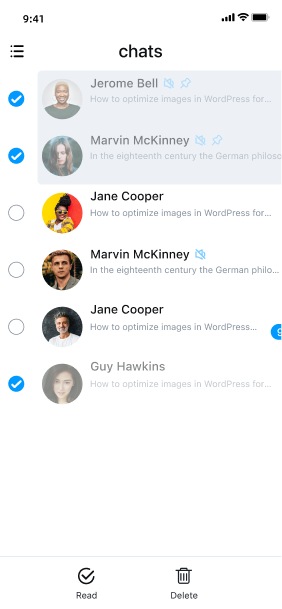
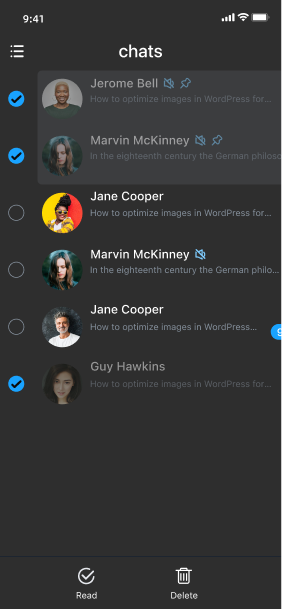
Handling Edit Operation Events
When the conversation list is in multi-select edit mode, the available edit operation buttons are controlled by editItems in RCChatListViewController, with each button defined by RCChatListEditItem.
When a button is clicked, the following edit event is triggered. You can retrieve chatModels and RCBarItemAction from the returned RCChatListEditItem.
/// Edit event, you can override this method to implement custom events
- (NSArray<RCChatListEditItem *> *)editItems;
Adding Multi-Select Edit Buttons
Override the editItems method in the RCChatListViewController subclass to add custom edit buttons.
    - (NSArray<RCChatListEditItem *> *)editItems {
    NSMutableArray<RCChatListEditItem *> *items = [NSMutableArray array];
    // Decide whether to retain default buttons based on business needs
    [items addObjectsFromArray:[super editItems]];
    RCChatListEditItem *item = [RCChatListEditItem itemWithTitle:CustomTitle image:CustomImage action:^(RCBarItem * item) {
        // TODO weakSelf
    }];
    [items addObject:item];
    return items;
}